Published by
Published on
April 28, 2026



Supply chains that create competitive advantage don't wait for the next planning cycle to answer their hardest questions. They're ready when conditions change — because their models are always on.
This month's releases strengthen that foundation on two fronts: new capabilities in Cosmic Frog that take you from optimized design to executable plan, and new connectivity and intelligence features in DataStar that do more of the work between raw data and defensible analysis.
Network optimization tells you what your supply chain should look like. It doesn't tell you how to get there.
Real-world transformations are constrained by what operations and budgets can absorb. Capital investments are spread across fiscal years. Suppliers can only be onboarded so fast. Moving without a sequenced plan creates cost and disruption.
Incremental Change closes that gap. Available now in Cosmic Frog, it introduces a new constraint-based input that defines how much change is allowable in each period — across facilities, suppliers, production, and transportation lanes. Within those constraints, the optimization engine determines the best sequence and timing of changes across your transition window, and surfaces a period-by-period action plan with cost projections at every step.
The result: your team walks into executive conversations with a defensible implementation plan, not just an optimized endpoint. And because Incremental Change runs within the same model as your network design, you can re-run as conditions evolve — always moving toward the optimal, at a pace your organization can sustain.
Coming soon: the Action Sequencer app will surface your Incremental Change outputs in a purpose-built interface — giving operations, finance, and leadership a shared view of what changes, when, and at what cost.
Watch a quick demo of Incremental Change →
Two updates this month make Cosmic Frog maps more informative at a glance.
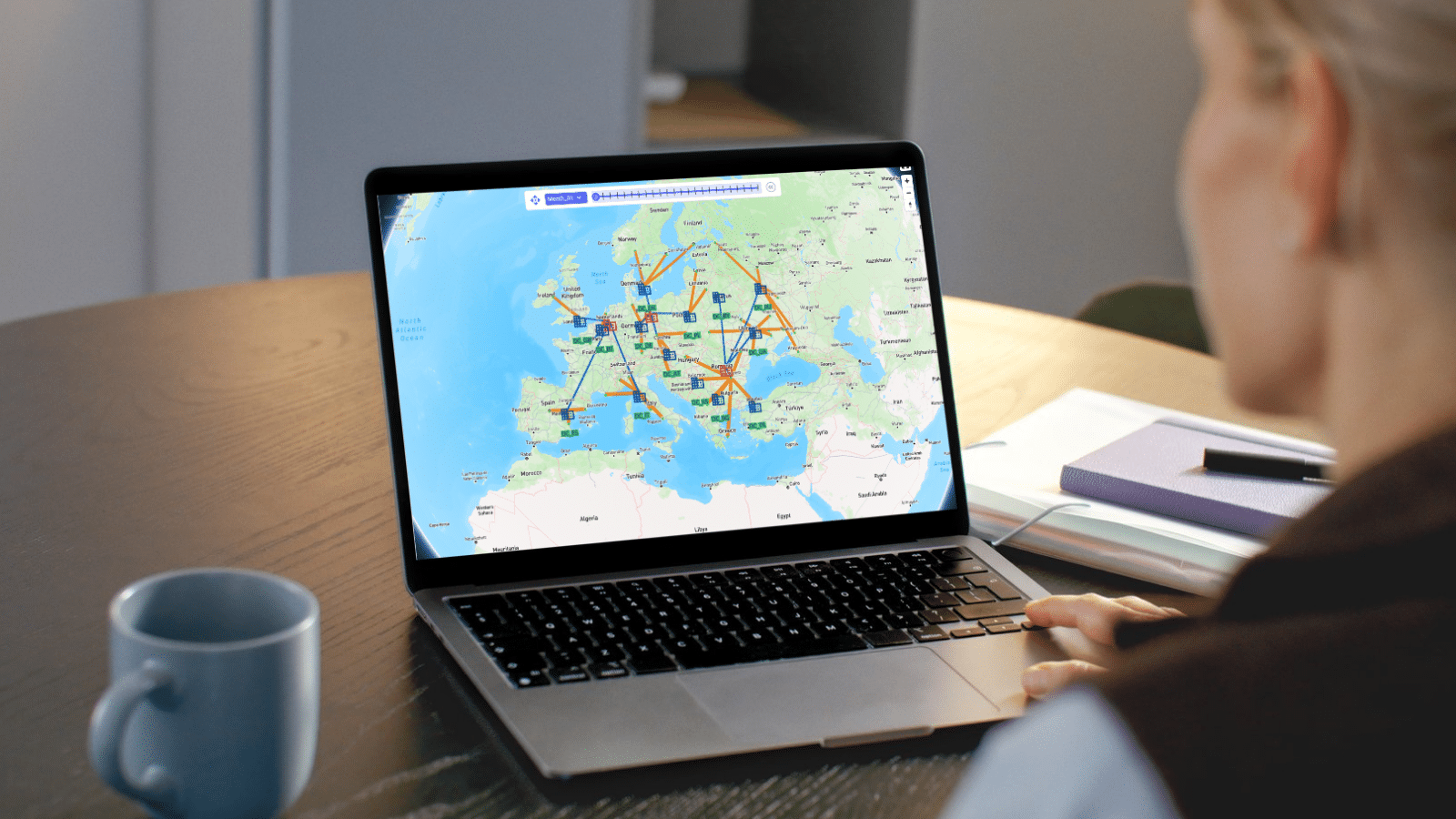
Display Direct Shipments on Maps: Direct shipments are now visible on the map. Point your map layer to the Transportation Shipment Summary table to render these routes alongside the rest of your network — giving Hopper users a more complete picture of how product is actually moving.
Map Record & Mark Count Display: Maps now show the total count of map marks (lines and points) alongside the total record count, directly in the layer panel. You can immediately confirm that the correct data is loading and spot unexpected gaps — without opening a table to check. More confidence, fewer interruptions.
Map Tooltip & Label Aggregation: Map tooltips and labels now display aggregated values using the correct function — SUM for quantities, costs, and volumes; AVG for distances, rates, and coordinates. Numeric columns automatically show the aggregation method as a badge (e.g., FlowWeight: 809,090 (SUM)), making it immediately clear what each value represents. A Display Aggregates toggle in the layer panel lets users turn the badges off when they’re not needed. You can also pin a tooltip by clicking on it — keeping it visible while you continue exploring the map and drill into values through the Details View panel, which lists all underlying records with search capability.
Watch Video: Cosmic Frog Maps Overview →
Named filters are one of the most useful tools in Cosmic Frog — save a complex set of conditions once, apply them consistently across tables, scenarios, and map layers. But until now, refining an existing named filter meant deleting it and starting over.
Now, the latest update makes it seamless. You can edit and save a named filter in place: apply the filter, adjust its conditions, and use Save Filter to overwrite the original — no duplication, no renaming, no lost references.
This pairs with a second enhancement that extends named filters into Transportation Policy Distance Calculations. The Distance Calculation Utility now supports named filters when configuring Transportation Policies, letting you reuse filter logic you've already defined elsewhere in your model. Less duplication, more consistent policy configurations, and an easier audit trail when your model grows in complexity.
Together, these two updates reflect a consistent principle: the logic you've built once should work everywhere and stay current with minimal effort — so your model remains something you can stand behind.
Learn more about Named Filters in Cosmic Frog →
Explore Transportation Policies →
The Anura 2.8.19 schema upgrade expands modeling capabilities across Optimization (Neo), Transportation (Hopper), and Simulation (Dendro) — and lays the foundation for Cyclo, a new multi-echelon inventory optimization engine expected later this quarter.
What's new in the engines:
Looking ahead — Cyclo: Several new schema objects introduced in this release — including Inventory Settings, Inventory Network Summary, and Inventory Safety Stock Summary — are specifically designed for Cyclo. When Cyclo arrives, it will bring multi-echelon inventory optimization into the same environment where you're already running network optimization and simulation. That means "How much inventory, at which locations, across which echelons?" becomes a question your team can answer in the same model as your network design — with the same engines, the same data, and no context-switching between tools. Your models are positioned for it now, without requiring schema migration when it launches.
See the full Anura 2.8.19 release notes →
DataStar is built to do the work between raw data and decision-ready analysis — connecting to your source systems, transforming data so it’s model-ready, and surfacing what the data means. This month's five releases extend that across the full pipeline.
CSV Connection Configuration Options. You can now configure how DataStar interprets CSV files — controlling delimiters, decimal formats, and data type overrides directly within the connection setup. Whether your source files use commas or semicolons, periods or commas for decimals, or need specific columns treated as text rather than numbers, DataStar adapts. No preprocessing outside the platform, no broken imports to diagnose after the fact.
Find out more about connecting to CSV files in DataStar →
New External Integrations. DataStar now connects directly to Amazon S3, Google BigQuery, and Databricks. Build pipelines that pull from these platforms on a repeating schedule, keeping your Cosmic Frog models continuously synced with your source systems — so your analytical foundation reflects current reality, not the last time someone manually exported a file.
Discover data integration capabilities in DataStar →
Run Machine Learning Task. DataStar now supports built-in machine learning algorithms, including classification, regression, and clustering. Identify patterns in your supply chain data, segment customers, and generate predictive outputs directly within your modeling environment — no code required.
AI Task Documentation. Leapfrog AI can now automatically document DataStar tasks, capturing the purpose and logic behind each transformation. You can also add your own notes directly in the task. Every step is visible, every decision is traceable — so the work your team does in DataStar can be validated, handed off, or revisited with full confidence.
Detailed Task Logs. DataStar now provides comprehensive execution logs — including AI agent reasoning and troubleshooting details — directly within DataStar. When something doesn't look right, you'll know exactly why. When everything runs cleanly, you'll have the audit trail to prove it. Transparency isn't just a confidence-building feature — it's what makes AI-generated work something you can take to leadership.
All features are available now in the Optilogic platform. Want to see the world’s best AI-driven supply chain design platform? Watch the five-minute demo. Have questions? Reach out to your Customer Success Manager or visit support@optilogic.com for documentation and tutorials.
Supply chains that create competitive advantage don't wait for the next planning cycle to answer their hardest questions. They're ready when conditions change — because their models are always on.
This month's releases strengthen that foundation on two fronts: new capabilities in Cosmic Frog that take you from optimized design to executable plan, and new connectivity and intelligence features in DataStar that do more of the work between raw data and defensible analysis.
Network optimization tells you what your supply chain should look like. It doesn't tell you how to get there.
Real-world transformations are constrained by what operations and budgets can absorb. Capital investments are spread across fiscal years. Suppliers can only be onboarded so fast. Moving without a sequenced plan creates cost and disruption.
Incremental Change closes that gap. Available now in Cosmic Frog, it introduces a new constraint-based input that defines how much change is allowable in each period — across facilities, suppliers, production, and transportation lanes. Within those constraints, the optimization engine determines the best sequence and timing of changes across your transition window, and surfaces a period-by-period action plan with cost projections at every step.
The result: your team walks into executive conversations with a defensible implementation plan, not just an optimized endpoint. And because Incremental Change runs within the same model as your network design, you can re-run as conditions evolve — always moving toward the optimal, at a pace your organization can sustain.
Coming soon: the Action Sequencer app will surface your Incremental Change outputs in a purpose-built interface — giving operations, finance, and leadership a shared view of what changes, when, and at what cost.
Watch a quick demo of Incremental Change →
Two updates this month make Cosmic Frog maps more informative at a glance.
Display Direct Shipments on Maps: Direct shipments are now visible on the map. Point your map layer to the Transportation Shipment Summary table to render these routes alongside the rest of your network — giving Hopper users a more complete picture of how product is actually moving.
Map Record & Mark Count Display: Maps now show the total count of map marks (lines and points) alongside the total record count, directly in the layer panel. You can immediately confirm that the correct data is loading and spot unexpected gaps — without opening a table to check. More confidence, fewer interruptions.
Map Tooltip & Label Aggregation: Map tooltips and labels now display aggregated values using the correct function — SUM for quantities, costs, and volumes; AVG for distances, rates, and coordinates. Numeric columns automatically show the aggregation method as a badge (e.g., FlowWeight: 809,090 (SUM)), making it immediately clear what each value represents. A Display Aggregates toggle in the layer panel lets users turn the badges off when they’re not needed. You can also pin a tooltip by clicking on it — keeping it visible while you continue exploring the map and drill into values through the Details View panel, which lists all underlying records with search capability.
Watch Video: Cosmic Frog Maps Overview →
Named filters are one of the most useful tools in Cosmic Frog — save a complex set of conditions once, apply them consistently across tables, scenarios, and map layers. But until now, refining an existing named filter meant deleting it and starting over.
Now, the latest update makes it seamless. You can edit and save a named filter in place: apply the filter, adjust its conditions, and use Save Filter to overwrite the original — no duplication, no renaming, no lost references.
This pairs with a second enhancement that extends named filters into Transportation Policy Distance Calculations. The Distance Calculation Utility now supports named filters when configuring Transportation Policies, letting you reuse filter logic you've already defined elsewhere in your model. Less duplication, more consistent policy configurations, and an easier audit trail when your model grows in complexity.
Together, these two updates reflect a consistent principle: the logic you've built once should work everywhere and stay current with minimal effort — so your model remains something you can stand behind.
Learn more about Named Filters in Cosmic Frog →
Explore Transportation Policies →
The Anura 2.8.19 schema upgrade expands modeling capabilities across Optimization (Neo), Transportation (Hopper), and Simulation (Dendro) — and lays the foundation for Cyclo, a new multi-echelon inventory optimization engine expected later this quarter.
What's new in the engines:
Looking ahead — Cyclo: Several new schema objects introduced in this release — including Inventory Settings, Inventory Network Summary, and Inventory Safety Stock Summary — are specifically designed for Cyclo. When Cyclo arrives, it will bring multi-echelon inventory optimization into the same environment where you're already running network optimization and simulation. That means "How much inventory, at which locations, across which echelons?" becomes a question your team can answer in the same model as your network design — with the same engines, the same data, and no context-switching between tools. Your models are positioned for it now, without requiring schema migration when it launches.
See the full Anura 2.8.19 release notes →
DataStar is built to do the work between raw data and decision-ready analysis — connecting to your source systems, transforming data so it’s model-ready, and surfacing what the data means. This month's five releases extend that across the full pipeline.
CSV Connection Configuration Options. You can now configure how DataStar interprets CSV files — controlling delimiters, decimal formats, and data type overrides directly within the connection setup. Whether your source files use commas or semicolons, periods or commas for decimals, or need specific columns treated as text rather than numbers, DataStar adapts. No preprocessing outside the platform, no broken imports to diagnose after the fact.
Find out more about connecting to CSV files in DataStar →
New External Integrations. DataStar now connects directly to Amazon S3, Google BigQuery, and Databricks. Build pipelines that pull from these platforms on a repeating schedule, keeping your Cosmic Frog models continuously synced with your source systems — so your analytical foundation reflects current reality, not the last time someone manually exported a file.
Discover data integration capabilities in DataStar →
Run Machine Learning Task. DataStar now supports built-in machine learning algorithms, including classification, regression, and clustering. Identify patterns in your supply chain data, segment customers, and generate predictive outputs directly within your modeling environment — no code required.
AI Task Documentation. Leapfrog AI can now automatically document DataStar tasks, capturing the purpose and logic behind each transformation. You can also add your own notes directly in the task. Every step is visible, every decision is traceable — so the work your team does in DataStar can be validated, handed off, or revisited with full confidence.
Detailed Task Logs. DataStar now provides comprehensive execution logs — including AI agent reasoning and troubleshooting details — directly within DataStar. When something doesn't look right, you'll know exactly why. When everything runs cleanly, you'll have the audit trail to prove it. Transparency isn't just a confidence-building feature — it's what makes AI-generated work something you can take to leadership.
All features are available now in the Optilogic platform. Want to see the world’s best AI-driven supply chain design platform? Watch the five-minute demo. Have questions? Reach out to your Customer Success Manager or visit support@optilogic.com for documentation and tutorials.
Fill out the form to unlock the full content
.jpg)