Published by
Published on
November 13, 2026



Many manufacturers are getting ready to add capacity. In the 2026 USA Reshoring Survey, the Reshoring Initiative, an industry organization focused on bringing manufacturing back to the U.S., found that 63% of OEMs plan U.S. capital investments in 2026 or 2027. The same survey found that companies want more predictability before they commit capital for the long term.
Capacity investments tend to raise a familiar set of questions: where to add capacity, how much, when, and which alternatives were considered. Answering them well means comparing many options, each with its own cost and timing, and showing why the recommended path holds up as demand changes.
Capacity expansion planning is the process of deciding whether, when, where, and how much capacity a supply chain should add to meet future demand at the lowest total cost. Capacity Expansion, now in Cosmic Frog's Network Optimization (NEO), evaluates storage, throughput, and production line expansion as investment options, weighs them with sourcing, production, inventory, and transportation in one solve, and recommends the lowest-cost investment path for your team to review.
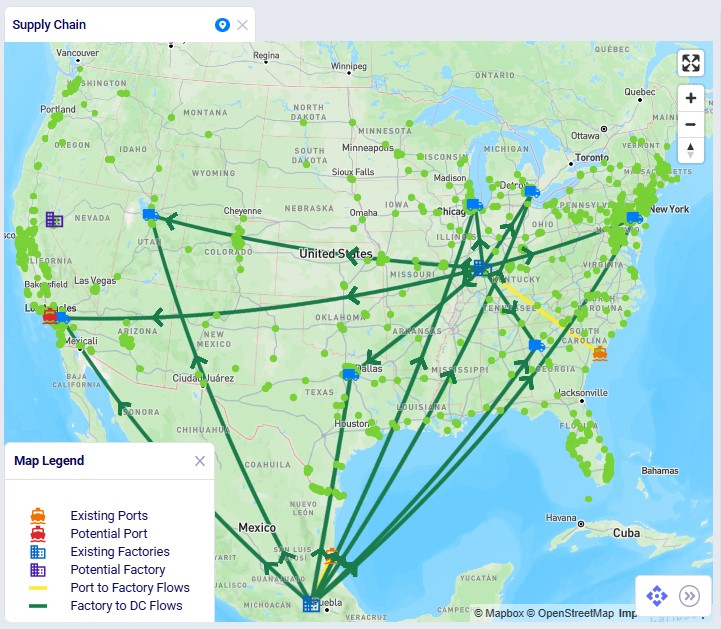
The Capacity Expansion demo model in the Resource Library uses fictional data to show the feature at work. Its network moves materials from suppliers in Europe and China through North American ports to two factories and seven DCs, serving more than 1,300 customers across North America.
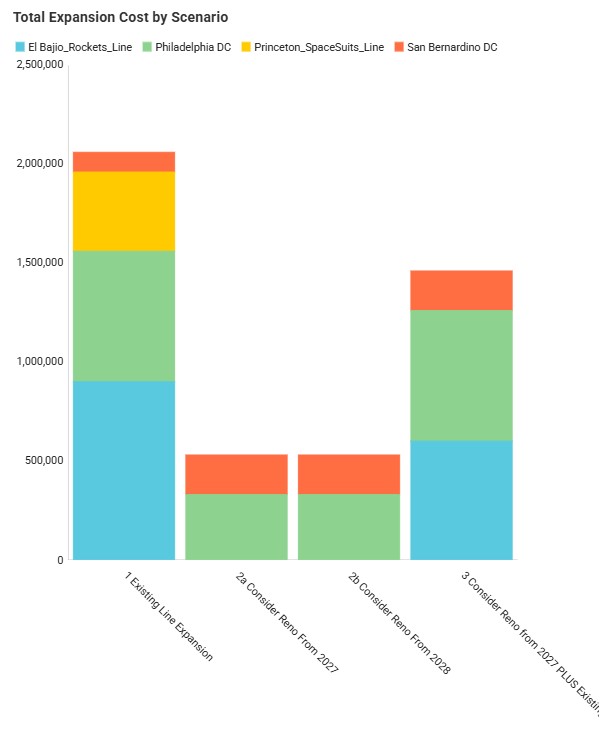
Run against demand through 2031, the current network is infeasible. By 2026, three DCs are already at full storage and two production lines run above 90% utilization. With DC storage expansion allowed in every scenario, the open question is production: expand the busy lines, open a new factory in Reno, or both.
The combined strategy comes out ahead by a small margin on a network costing about $2.1B. NEO surfaces it by weighing each option against the others in one solve, and the demo then tests the plan against demand 5% and 10% above and below forecast.
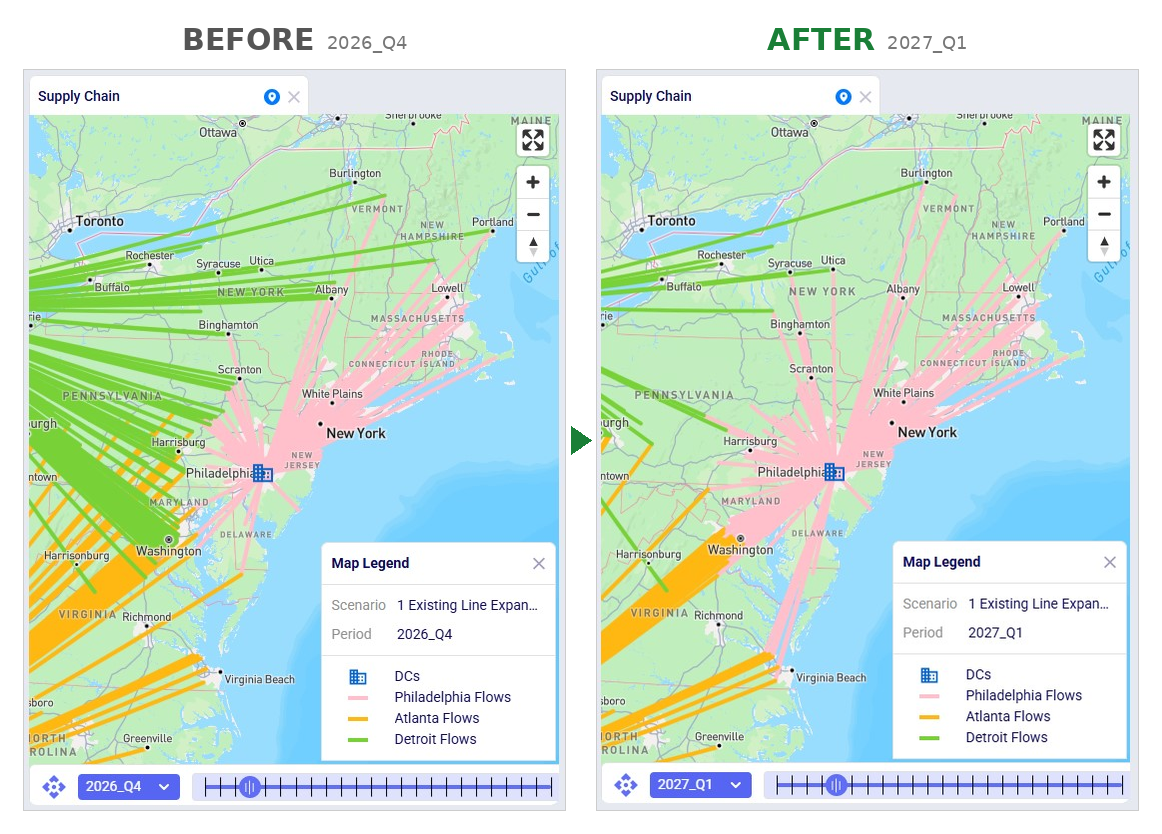
Setup takes two input tables in NEO, with no extra model option to switch on.
Recommended expansions land in the Optimization Capacity Expansion Summary output table by entity, scenario, and period, and two Analytics dashboards chart expansion cost by scenario and by period. With that in place, teams can answer which DCs need more storage and in which quarter, whether to expand a line or open a new site, how a site's start-up lead time changes the plan, and whether the plan holds if demand lands 10% above or below forecast.
Capacity Expansion helps teams design the supply chain they need and supports the one they have. It runs on the same Cosmic Frog model and digital twin your team already maintains, so a new capacity question means a few new rows and a scenario run. It pairs with Incremental Change, also in NEO, which sets how quickly the network can move to a new plan. Ada, Optilogic's agentic AI, can explain the feature, chart how a DC's storage grows in the chat, and build an interactive dashboard that compares investment paths. Every expansion, its timing, and its cost stay visible in output tables, and the final call stays with your team.
Every capital plan rests on an assumption about which options were compared. Three steps make that comparison visible before the next review:
Teams that bring that comparison into the room give finance a plan it can trust, and place capital where the network needs it.
Capacity Expansion is available now in Cosmic Frog and Ada for all users. The demo model in the Resource Library includes preconfigured scenarios for storage expansion, line expansion, new-site timing, and demand sensitivity. Explore the outputs, then map the same questions onto your own model.
See a quick demo of Capacity Expansion
Watch Neeru Bhopal, Director of Product Management at Optilogic, show how Capacity Expansion and Ada help you decide where and when to invest in capacity.
For step-by-step setup, see the Capacity Expansion Help Center documentation. Questions? Contact your Customer Success Manager or support@optilogic.com.
Ready to plan your next capacity investment?