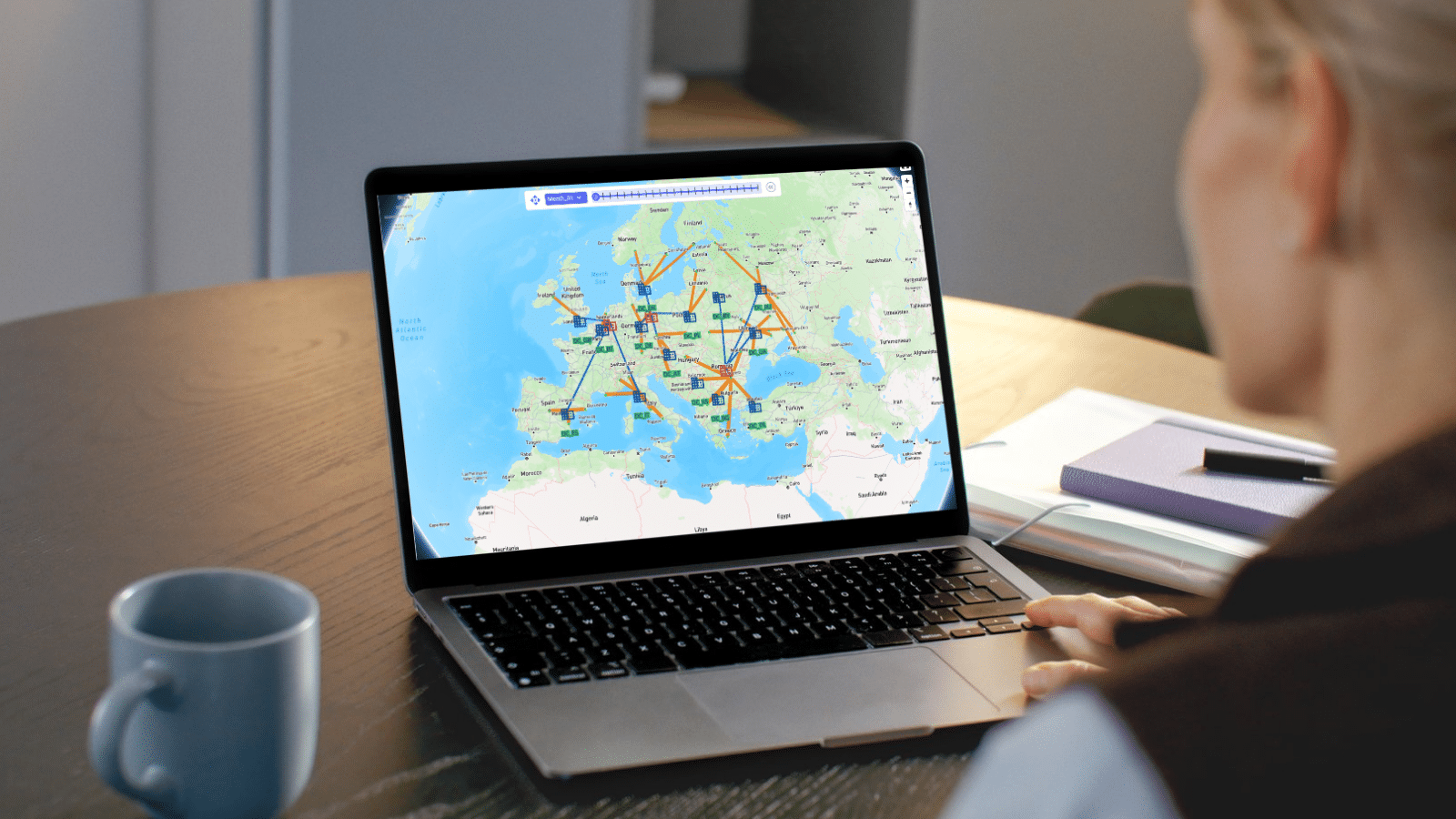
Optilogic Training Courses teach teams to model, analyze, and optimize supply chains with confidence. Learn Cosmic Frog and DataStar through expert-led, hands-on sessions that deliver faster insights, stronger decisions, and measurable ROI.



Explore Optilogic’s on-demand training library, curated to help you learn exactly what you need, when you need it. Access everything at your fingertips and move through each module at your own pace.
This chapter tackles one of the most common hurdles in supply chain modeling: infeasibility. You’ll see how Cosmic Frog flags errors when your model can’t satisfy all its constraints, and more importantly, how to track down the root cause. Starting with the validation report, you’ll learn how to spot critical errors, trace them back through sourcing or transportation policies, and fix the issues step by step.
In this episode, the team explores Maps, the interactive visualization tool in Cosmic Frog that brings your supply chain to life. Instead of sifting through spreadsheets, you can layer facilities, customers, and flows onto a visual map, style them for clarity, and compare scenarios side by side. Want to see how closing a distribution center impacts your network? Just toggle between scenarios on the map, and watch the flows shift in real time—making it easier to spot patterns, communicate insights, and make data-driven decisions.
In this episode, the team introduces Leapfrog, a large language model embedded directly in Cosmic Frog. Instead of writing queries or navigating complex interfaces, you simply ask questions in plain English. Want to compare costs between scenarios? Just type it out, and LeapFrog translates your words into SQL, runs the query, and serves up the results.
This session explores the automatic OptiRisk metrics available with each Cosmic Frog scenario. We dig into the components that make up each scenario's risk scores, where to find this reporting within Cosmic Frog outputs, and dashboards available to visualize cost versus risk tradeoffs. We then walk through examples of building and tuning your own risk profiles, and how to respond to risk identified with mitigation scenarios and quantifying impacts of risk events.
Please try different keywords.
Join Austin Timmer and the Optilogic team for an in-depth look at DataStar—a cloud-native, AI-powered platform that's changing how supply chain teams work with data.
Please try different keywords.
Ready to take your modeling skills to the next level? Join Leapfrog 102 for a hands-on walk-through of the latest AI-powered use cases—designed to help you explore, edit, and optimize like a pro inside Cosmic Frog.
Please try different keywords.
This session will give users and introduction to the Hopper engine. Typical Hopper use cases, differences and synergies with other Optilogic engines, and high level solve approach will be covered. The session will also equip users with the base input information needed for models, as well as types of outputs.
This session examines the inputs for an outbound multi stop routing model within Cosmic Frog. Base elements, pickup and delivery constraints, assets, costs and time considerations will be covered.
This session covers Hopper scenarios that consider tradeoffs between reatining current route configurations and customer segmentation vs. relaxation of these rules.
This session covers Hopper scenarios that considers the impact of adjusting various factors when routing outbound shipments. Considerations include business hours, asset types available, and origin locations for the shipments.
Please try different keywords.
Understand the conceptual elements of simulation modeling, what makes simulation unique as a modeling methodology, and questions that can be addressed with simulation.
Learn the foundational elements of building supply chain simulation models in Cosmic Frog, including Model Elements, Transportation, Sourcing, Production, Inventory, and Demand (Orders).
Step-by-step instruction to be able to confidently run your own simulation model and review outputs.
Please try different keywords.
In this session, we introduce the fundamentals of NEO optimization models in Cosmic Frog. You'll learn how NEO evaluates millions of possible supply chain configurations to find the least-cost or most profitable way to meet customer demand while respecting every constraint in your network. Instead of manually analyzing trade-offs, NEO automatically determines the optimal combination of suppliers, manufacturing sites, and distribution centers to fulfill orders.
In this episode, we explore two powerful pre-run validation tools in Cosmic Frog: the Model Assistant and the Integrity Checker. Instead of running your entire model, waiting for results, and then diagnosing issues, you can catch data errors in just minutes before hitting "run." The Model Assistant flags missing essential information—like un-geocoded locations or absent production policies—while the Integrity Checker goes deeper, identifying numeric issues, unit of measure mismatches, master data references that don't exist, and data type conflicts.
In this episode, we dive into scenario building in Cosmic Frog—the heart of network optimization testing. Instead of manually reconfiguring your entire model for each "what if" analysis, you create modular scenario items that make specific changes to your data. Want to test closing a facility? Doubling demand for a customer? Removing flow constraints to see optimal behavior? Just build a scenario item, assign it to a scenario, and run. Each scenario can combine multiple items, letting you stack changes and test complex configurations in minutes.
In this episode, we explore how to analyze your optimization results through Cosmic Frog's output tables. Instead of digging through raw solver logs or exporting data to external tools, you can filter, compare, and aggregate results directly within Cosmic Frog. Want to see total cost savings between your baseline and optimized scenarios? Need granular detail on which facilities are shipping to which customers? And it doesn't stop there. You'll see how to use the job logs and error logs to troubleshoot model runs, validate that scenarios completed successfully, and identify where infeasibilities occur. With Cosmic Frog's output tools, analysts can quickly validate results, pinpoint where savings are generated, and confidently present findings to stakeholders.
Please try different keywords.
BASF’s Supply Chain and Logistics Excellence & Performance Organization will leverage Optilogic Cosmic Frog to test robustness of future supply chain designs and empower business users.
Supply chain simulation is the most granular modeling technique. This preferred method for service level analysis shows how business rules, policies, product requirements, etc. impact demand, manufacturing cycle times, staffing requirements, transportation lead times, and more. These insights can be instrumental for a multi-tiered supply chain’s inventory strategy.
Mid-market company supply chains grapple with many of the same challenges large companies face. Here’s why supply chain design is crucial to the future success of mid-market companies and how they can take advantage of the same technology and benefits as their Fortune 100 counterparts.
New Cosmic Frog Companion Apps enable designers to deploy Cosmic Frog to Microsoft Excel and mobile applications to answer unlimited supply chain questions in a self-serve environment.
With elections in roughly 50 countries worldwide and U.S. voting day right around the corner, supply chain executives must understand how major shifts in trade policies could impact their operations. Here are some tactics for using supply chain design to prepare for election outcomes.
Rebecca Janowiak of Optilogic named recipient of 2024 Women in Supply Chain Award. Award honors female supply chain leaders and executives whose accomplishments, mentorship and examples set a foundation for women in all levels of a company’s supply chain network.
Please try different keywords.
Visit our Help Center to explore detailed product guides, troubleshooting tips, and expert insights from the Optilogic community. Whether you’re learning the basics or diving into advanced modeling, you’ll find step-by-step resources to help you get the most out of the Design Intelligence Platform.
Explore all Optilogic resources in one place — from expert-led webinars and thought leadership blogs to customer success stories and product videos.
See how Optilogic combines advanced modeling, risk analysis, and expert support to deliver faster decisions and measurable supply chain results.